
▶️ Find the email from [email protected] that was sent to you with the Series name in the invitation. Go to step 2 use a password as shown in the email, and you will find your provided password.
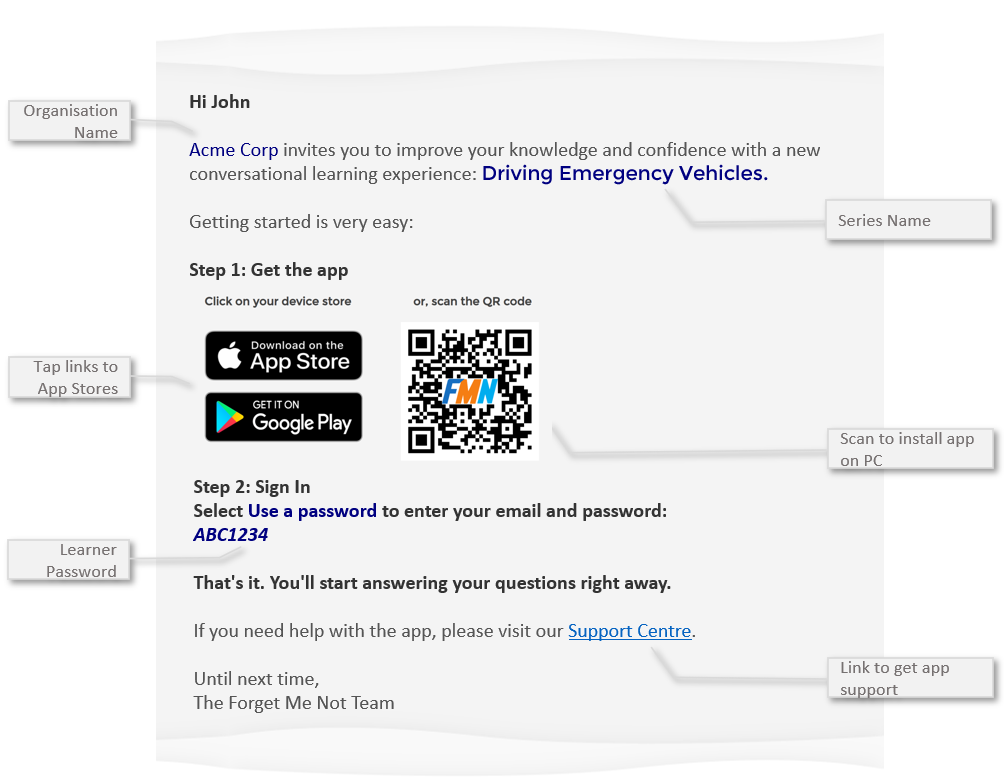
✅ The invitation email also tells you the 1. name of the learner, the 2. organisation that sent the invitation and 3. what Question Series you have been enrolled in along with your 4. sign in password.
⚠️ If you can't find your invitation email then simply reset your app password using the self-service function.
Help us improve this article
Was this article helpful?
Still need help?
Contact us