
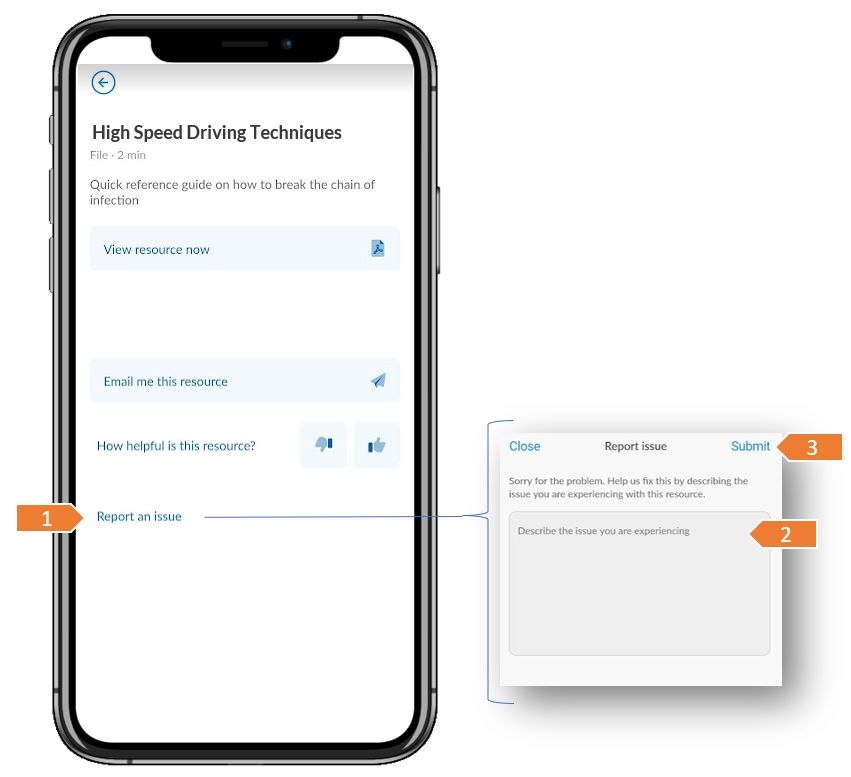
▶️ From within an opened Series, select View Info, then tap Resources. Select a resource from the list to view the resources details then choose Report an Issue.
Enter a description of the issue to help us understand and then tap Submit.
⚠️ Your email address will be sent with the report in case you need to be contacted to get more details about the issue.
Was this article helpful?
Still need help?
Contact us